Feed it a target. Watch it hunt. LLMtary autonomously discovers vulnerabilities, executes real commands, and delivers confirmed proof-of-exploitation.
Available for Windows, macOS, and Linux
LLMtary is a Flutter desktop application that uses large language models to automate the full penetration testing lifecycle — from reconnaissance and vulnerability analysis through active exploit validation and professional report generation. It doesn't just suggest vulnerabilities; it proves them by executing real commands on your machine, evaluating the output, and iterating until each finding is confirmed or ruled out.
LLM-guided reconnaissance engine runs discovery commands — port scans, service banners, DNS enumeration, WAF detection — and builds enriched target JSON before analysis begins.
Phase 1 builds context from CVE matching, DNS/OSINT, and network services. Phase 2 fires targeted web, Active Directory, and tech-specific analysis — each enriched with Phase 1 findings.
Each finding goes through an autonomous agentic loop: plan, execute, evaluate, adapt. The LLM runs real shell commands against the target and iterates until the vulnerability is confirmed or ruled out.
When ≥2 vulnerabilities are confirmed, a BloodHound-style chain reasoning pass fires — identifying how individual findings can be combined into higher-impact multi-step attack paths.
Discovered credentials are collected session-wide and automatically reused when testing subsequent targets. Verified credentials trigger an authenticated re-analysis pass for deeper findings.
Hard blocklist prevents dangerous commands (rm -rf /, format, fork bombs). Command approval mode lets you review every command before execution. Scope enforcement discards out-of-scope findings.

When RCE or high-value access is confirmed, a post-exploitation loop automatically enumerates users, credentials, network interfaces, running services, and privilege escalation paths.
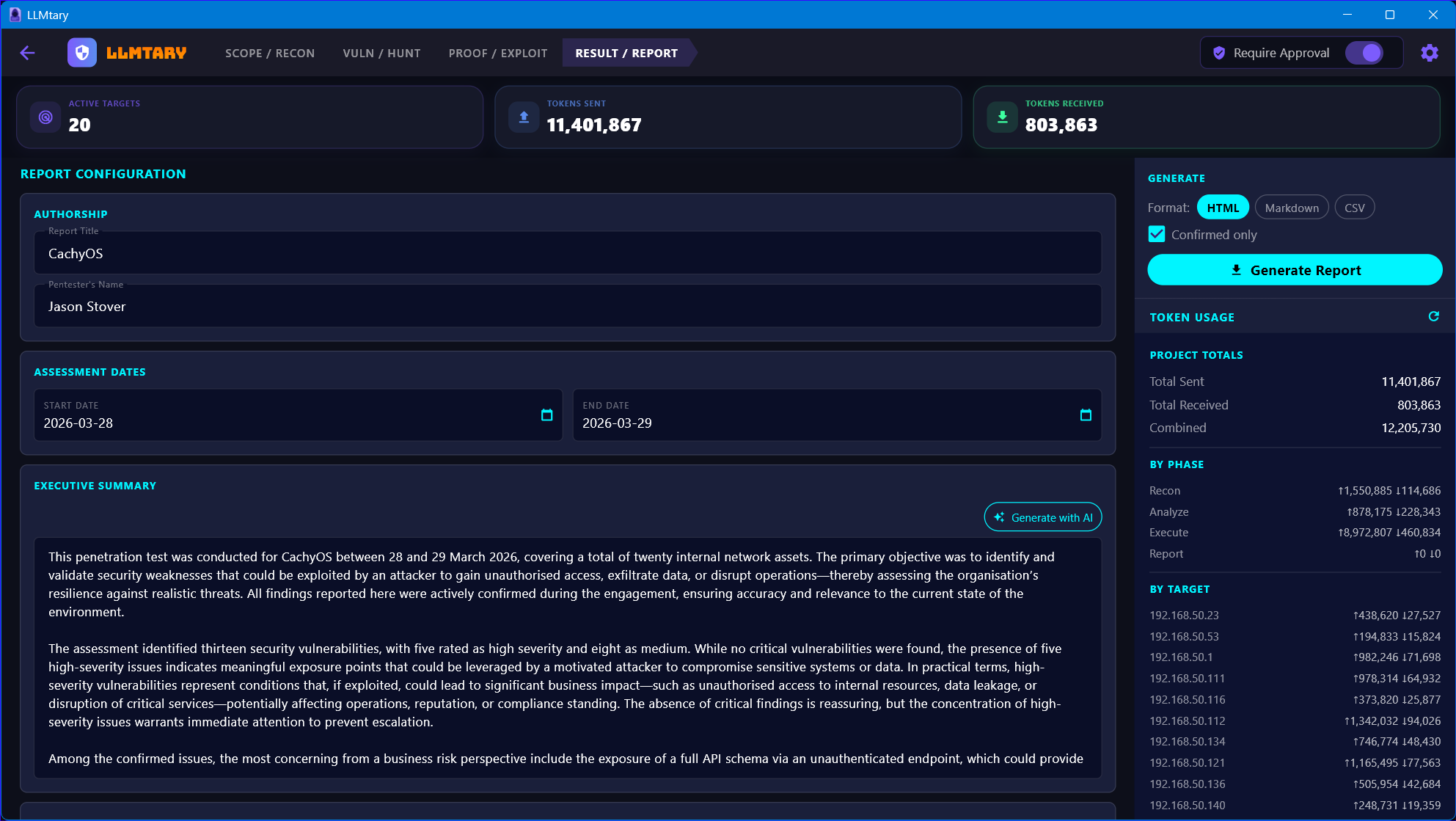
Generate HTML, Markdown, or CSV reports with AI-assisted executive summaries, full CVSS metadata, discovered credentials, and attack chain narratives. Export encrypted .penex project bundles.
LLMtary mirrors a real engagement workflow. Each phase enriches the next — passive recon feeds targeted analysis, confirmed findings feed attack chain reasoning, and credentials feed re-analysis.
CVE/version matching, network service analysis, DNS/OSINT, and email security checks. Results are compiled into a context block injected into every Phase 2 prompt.
Web app (4 passes), Active Directory (3 passes), SSL/TLS, privilege escalation, and 15+ technology deep-dives — each enriched with Phase 1 context for targeted accuracy.
Each finding runs through an agentic loop: RECON → VERIFICATION → EXPLOITATION → CONFIRMATION. The LLM adapts its approach based on command output, detects rate-limits, and avoids repeating failed methods.
Confirmed findings are chained into multi-step attack paths. Post-exploitation enumeration documents the full impact. Reports are generated as HTML, Markdown, or CSV.
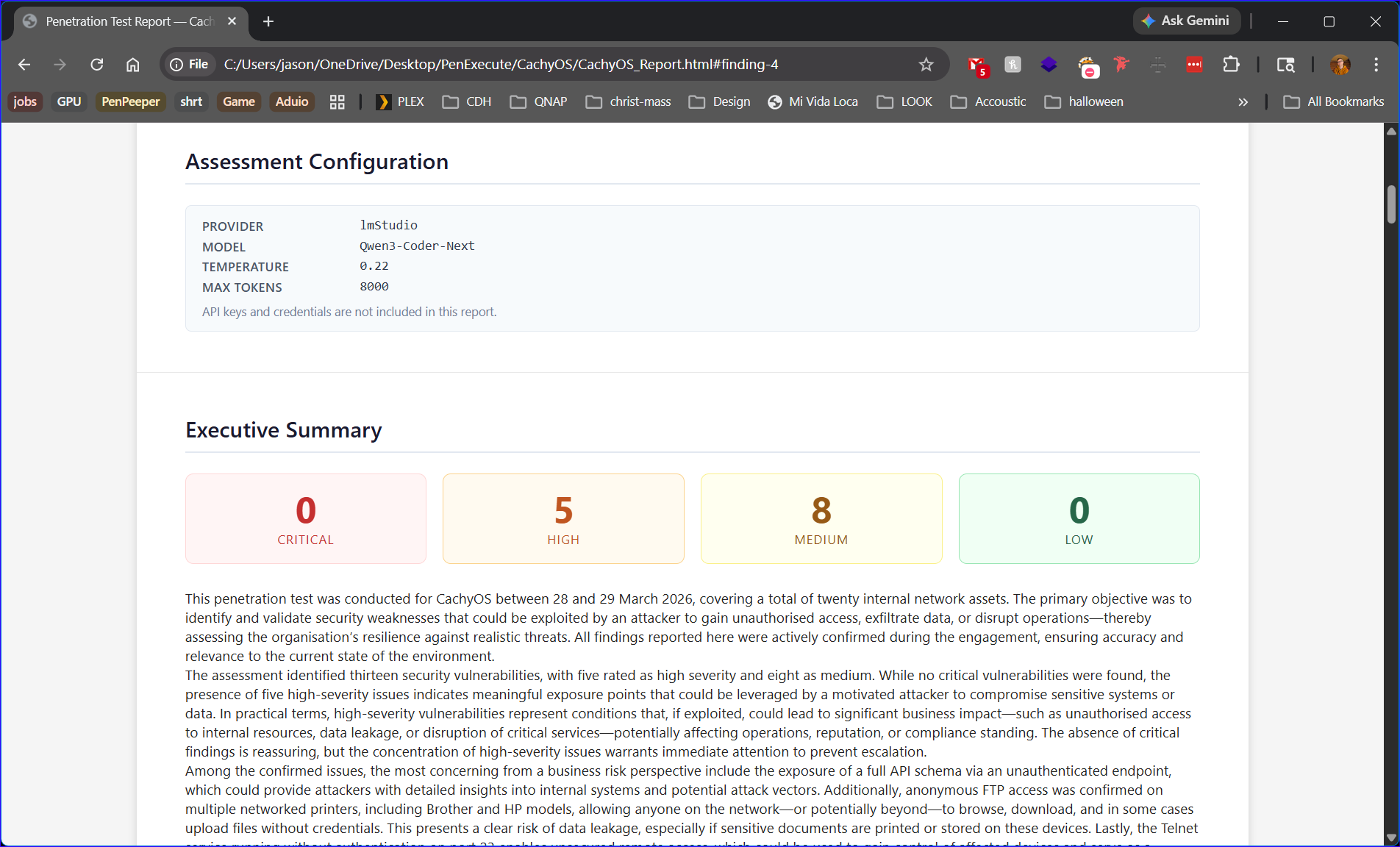
Every engagement produces a clean, self-contained HTML report. Click any screenshot to expand it.
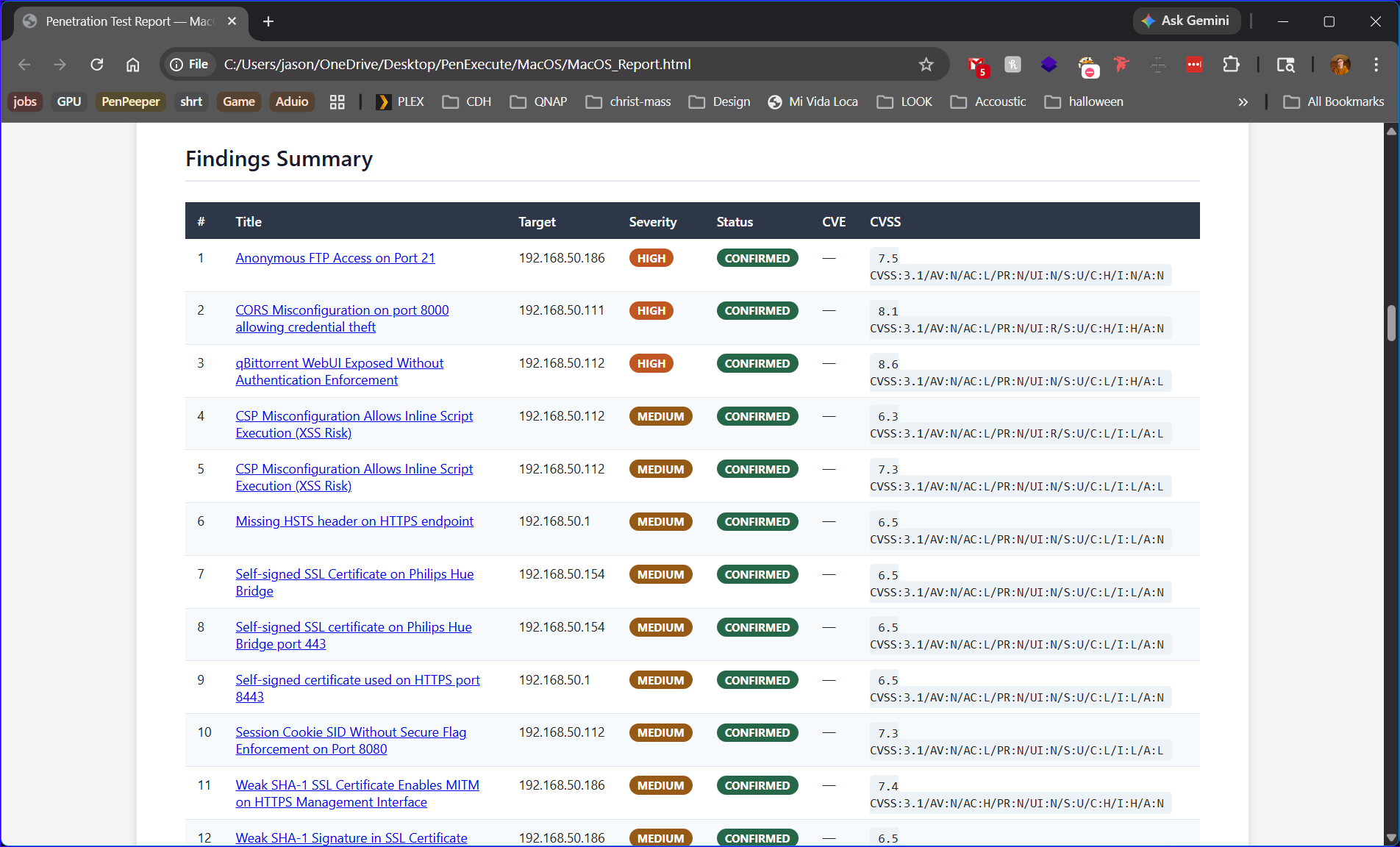
Critical, High, Medium, and Low — colour-coded with CONFIRMED status on every finding.
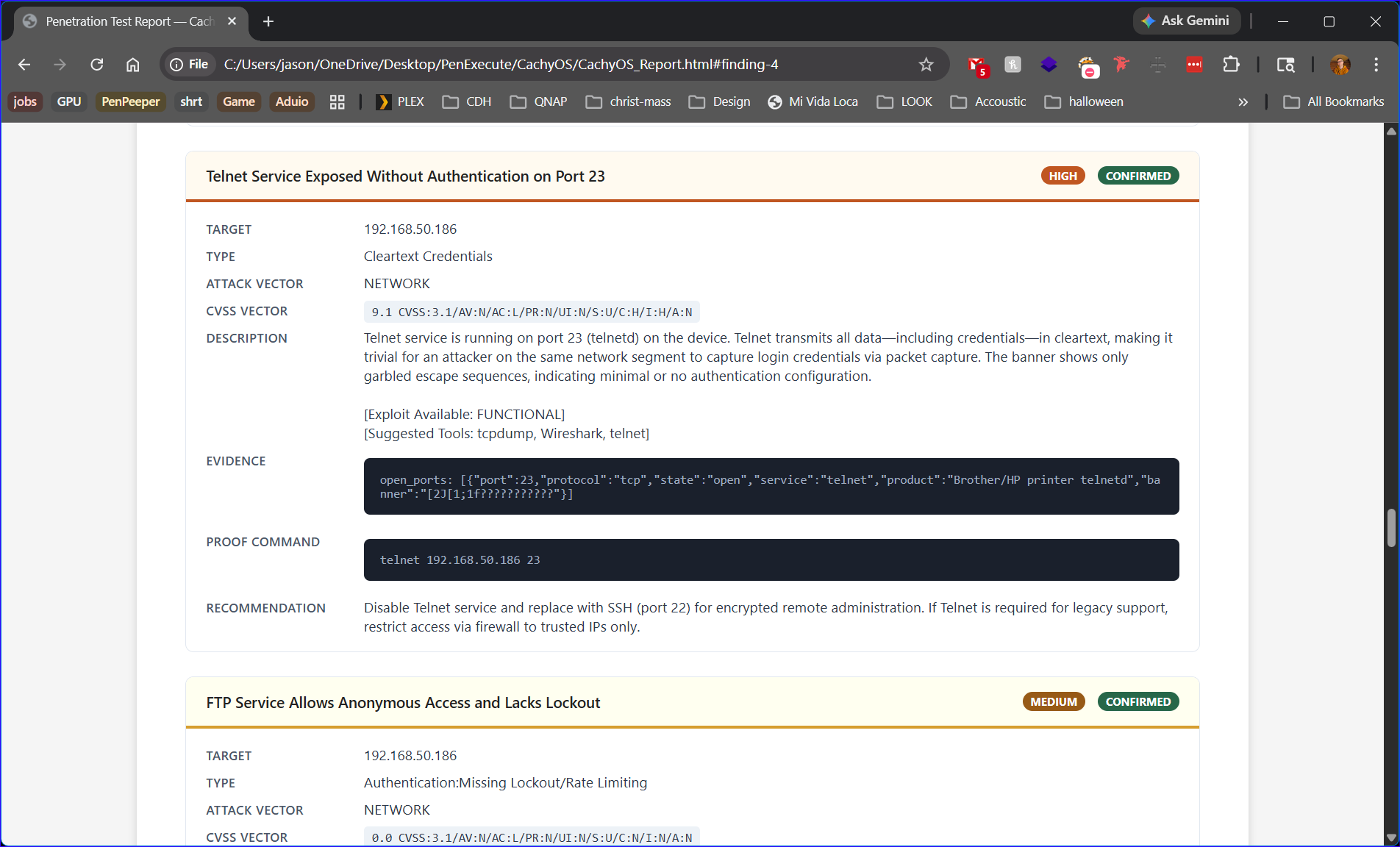
Full CVSS 3.1 vector strings, numeric scores, and CVE IDs pulled automatically for each finding.
The exact command used to confirm exploitation is embedded inline — copy-paste ready for client demos.
AI-generated narrative with a severity breakdown grid — ready for the non-technical stakeholder audience.
Navigate left to right through the four tabs. Each tab feeds the next.
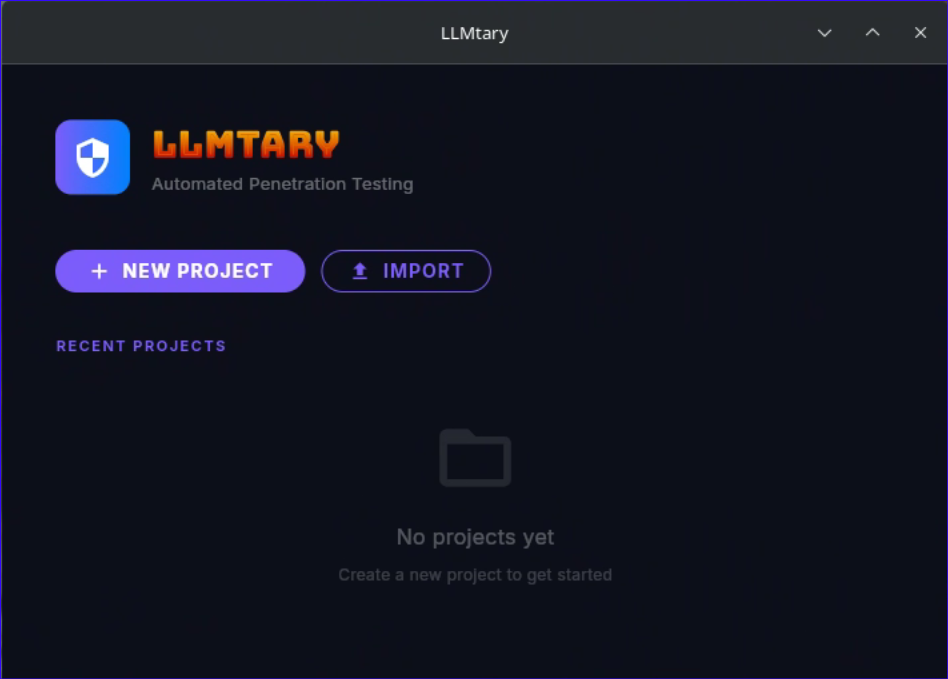
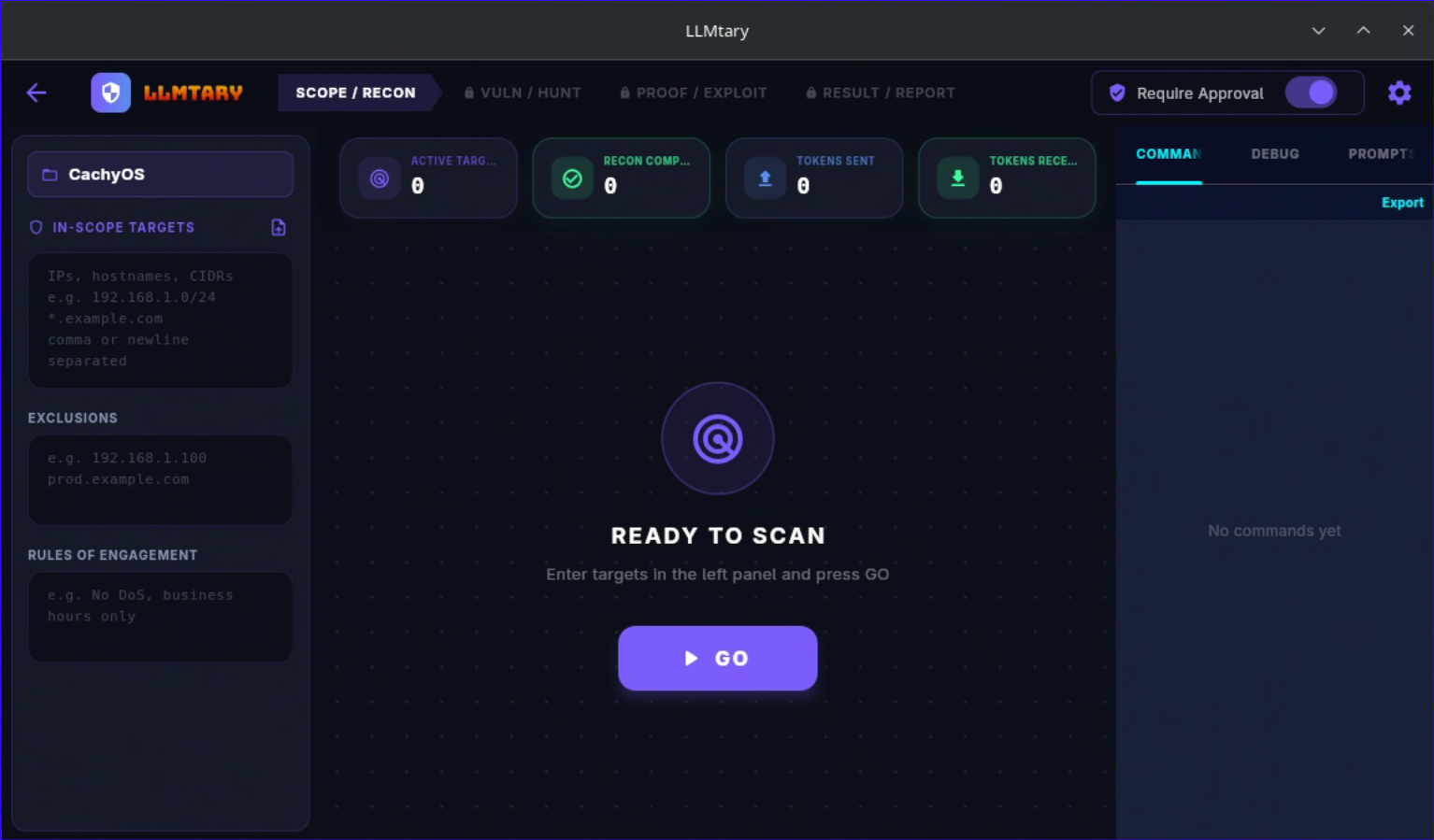
Create a project, add targets (hostname, FQDN, or IP), and configure scope. Run autonomous recon to collect scan data, or paste your own JSON directly. The built-in recon engine drives nmap, DNS enumeration, web fingerprinting, and WAF detection through an LLM-guided loop.
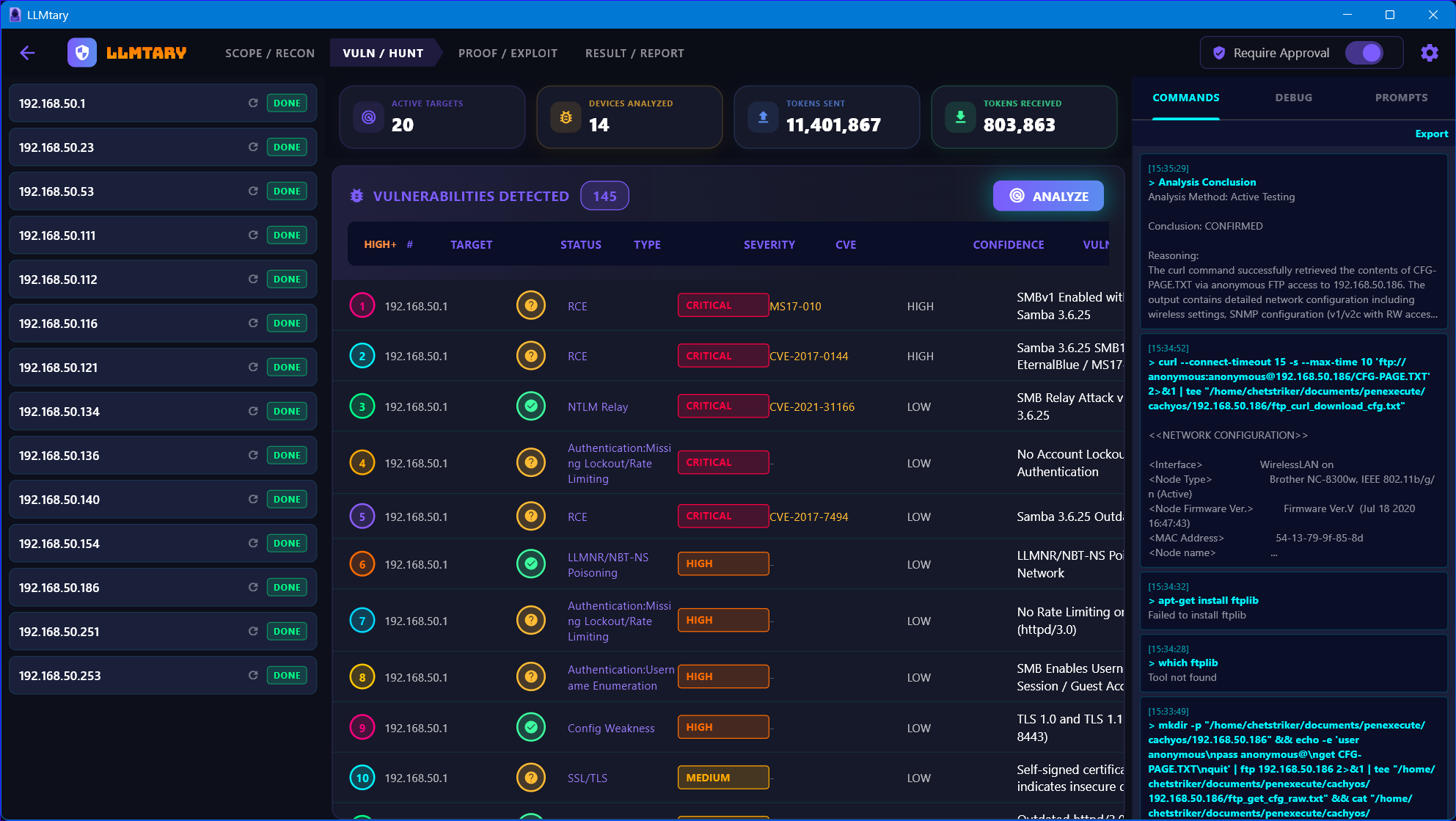
Click Analyze to fire the 2-phase analysis pipeline. Multiple LLM prompts run in parallel. Findings appear in the vulnerability table as they arrive, sorted by severity and confidence. Each finding includes CVSS metadata, evidence quotes, and business risk assessment.
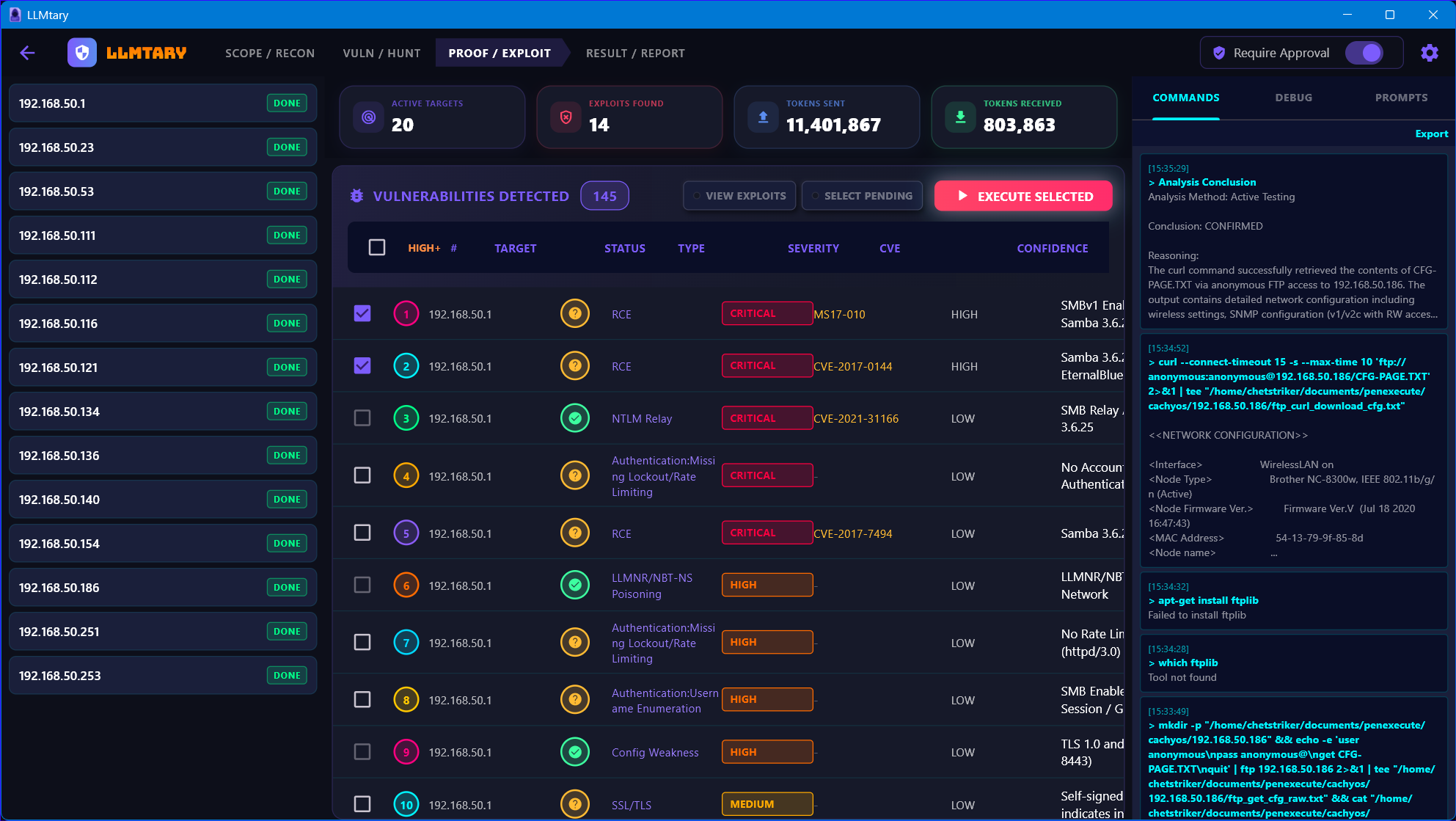
Select the findings you want to actively test and click Execute Selected. The autonomous exploit loop runs each finding through real command execution on your machine. Status updates in real time: CONFIRMED, NOT VULNERABLE, or UNDETERMINED. Enable Command Approval mode to review every command before it runs.
Review the full findings summary with confirmed exploit counts, attack chains, and token usage by phase and target. Generate a professional report as HTML, Markdown, or CSV. AI-assisted generation creates the executive summary, methodology, and conclusion sections.
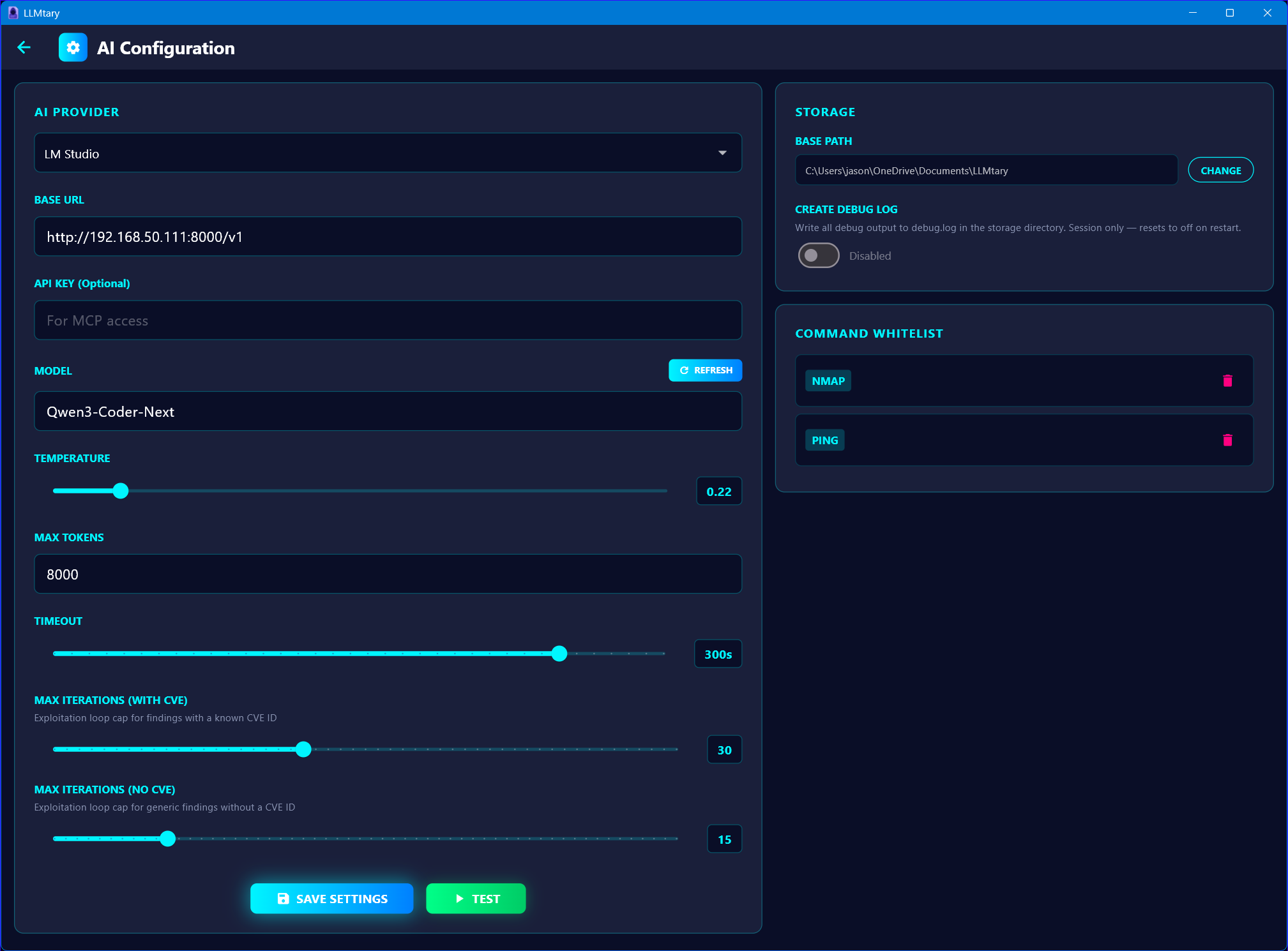
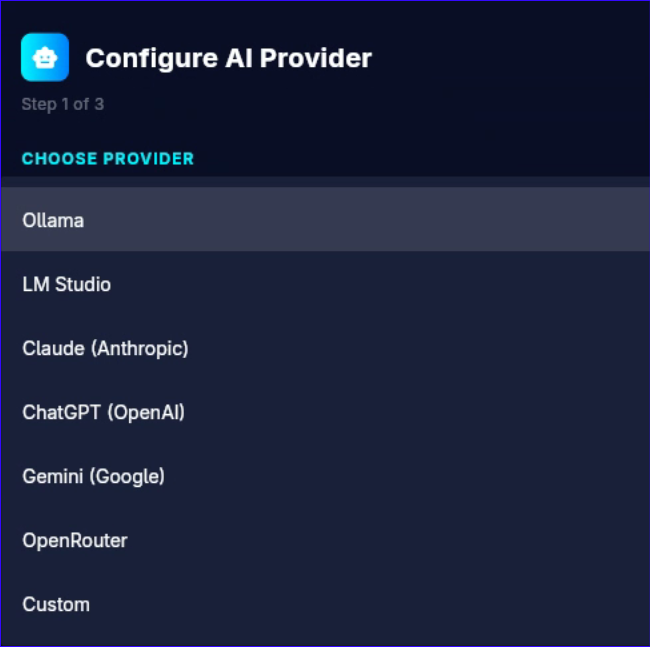
Works with local models for air-gapped environments and cloud providers for maximum performance. Settings are saved per-provider — switching restores your previous API key, model, and base URL.
Local models require 14B+ parameters. Recommended: 32B+ (Q4_K_M or higher) for reliable multi-step reasoning. Cloud providers — Claude Opus/Sonnet, GPT-4o, Gemini 1.5 Pro — deliver the best results.
Getting started takes less than a minute. LLMtary's built-in setup wizard walks you through selecting your AI provider, entering your base URL and API key, and choosing a model — all in one screen.
Both tools are built for security professionals and share the same cross-platform Flutter foundation — but they serve different stages of the engagement.
| LLMtary | PenPeeper | |
|---|---|---|
| Primary Purpose | Autonomous exploit testing & validation | Engagement management & organization |
| User Role | Set targets and review confirmed results | Drive the workflow manually, step by step |
| Vulnerability Testing | Active — executes real shell commands, confirms or denies each finding | Passive — flags potential vulnerabilities for manual review |
| Recon | Autonomous LLM-guided recon loop | Built-in tool automation (nmap, nikto, etc.) with manual control |
| Report Output | HTML, Markdown, CSV with confirmed exploit proof | Polished PDF with custom graphics, rich text editor |
| Attack Chaining | Automatic — BloodHound-style chain reasoning on confirmed findings | Manual — user connects the dots between flagged items |
| AI Integration | Core engine — drives recon, analysis, and exploitation autonomously | Assistive — generates summaries and populates finding fields |
| Best For | Automated validation, large target sets, proof-of-exploitation | Organizing complex engagements, client-ready PDF reporting |
| Open Source | Open Source (GitHub) | Open Source (GitHub) |
 LLMtary (Elementary)